
How to Manage Your Helperbird Pro Subscription
Check which Helperbird plan you are on, read what every subscription status in the Billing section means, and see what changes after you cancel Helperbird Pro.
On this page
Your subscription answers two questions: which plan you are on, and whether it is running. Helperbird shows both in the Billing section of the settings page. This page explains what it is telling you.
To change your card, download an invoice or open the portal, see managing your Helperbird billing.
Where Helperbird Shows Your Plan
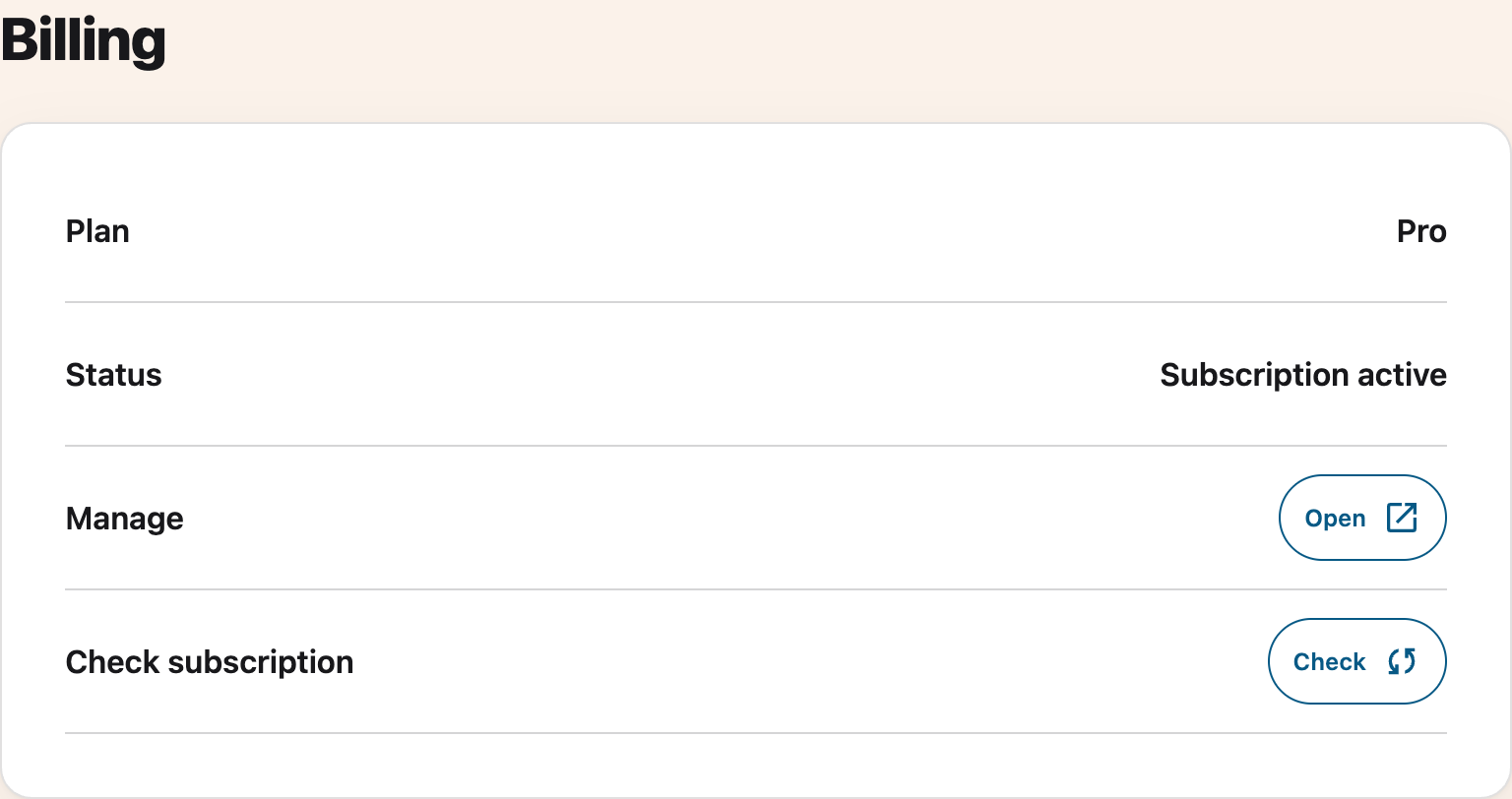
Open the Helperbird settings page and scroll to Billing, below Account. See how to open the settings page if you cannot find it.
 View full-size image (opens in a new tab)
Plan and Status tell you where you stand, and they are the subject of this page. Check asks Helperbird to look your subscription up again. Manage is the way into your billing portal, covered in managing your Helperbird billing.
What Your Plan Says
Plan has three answers.
- Free. Helperbird found no paid subscription for you on this browser. See what Helperbird Free includes.
- Pro. You have a paid subscription, or a trial that has not ended yet.
- Unlimited. Your school or workplace covers everyone on your email domain. See what Helperbird Pro Unlimited is.
On an Unlimited account the Manage row reads Managed by your organization in place of a button, because an administrator owns the billing. There is nothing for you to change there.
What Your Status Says
Status is the answer Helperbird got the last time it checked. Only an active subscription and a running trial unlock Pro features. A trial’s end date comes from your account and displays in your local date format. It is not a fixed number of days counted from when you opened Helperbird.
| Status | What it means | What to do |
|---|---|---|
| Trial ends, with a date | Your trial is running and Pro is unlocked until that date | Make sure a card is on file if you want Pro to continue |
| Subscription active | You are paid up | Nothing |
| Payment overdue | A payment was tried and failed | Update your card, then pay the open invoice |
| Payment method required | Your trial ended or a payment could not complete | Review your billing details and complete any outstanding payment |
| Payment issue | Your first payment has not gone through yet | Finish the payment in your billing portal |
| Subscription expired | The first payment never completed, so the subscription lapsed | Subscribe again on the pricing page |
| Subscription paused | Billing is paused, so Pro is off for now | Talk to support to start it again |
| Subscription canceled | The subscription has ended | Subscribe again on the pricing page |
| No active subscription | Helperbird knows your account but found no running subscription | Check you paid with this email address |
| No subscription found | Your email address and key matched nothing | See email login vs subscription key |
| Login or enter your subscription key | Helperbird has no email and no key to check with | Log in or enter your key |
| Connection problem. Try again | Helperbird could not reach us | Press Check again, then see firewall issues |
| Something went wrong. Try again | The check failed on our side | Press Check again, then contact support |
| Subscription status unknown | Helperbird got an answer it did not recognize | Press Check again, then contact support |
Changing Your Plan
- Free to Pro. Subscribe on the pricing page, then press Check so this browser picks it up.
- Pro to Unlimited. Unlimited is sold per organization, so talk to support for a quote.
- Pro to Free. Cancel your subscription. See how to cancel.
What Happens When You Cancel
Nothing stops working on the day you cancel. Your subscription runs to the end of the period you have paid for, you keep every Pro feature until then, and you are not charged again.
After that date, Plan goes back to Free and Helperbird keeps working with the free features. Your account and your settings are not deleted, so everything is where you left it if you subscribe again later.
Within 30 days of buying you can ask for a refund instead of waiting the period out. See how to request a refund. Cancelling because something is not working? Talk to support first.
If Your Status Looks Wrong
Paid, but Plan still reads Free? Press Check in the Billing section. It looks your subscription up again and usually unlocks Pro in a few seconds. If it stays wrong, see how to resync your subscription and why a subscription is not activating.
If Check shows a connection problem, your previous account details stay visible. The message means the new check did not finish. Try again when your connection is working.
Unlocked on one browser but not another? See email login vs subscription key.
Need Additional Help?
If you have any questions or run into any issues, please contact the Helperbird support team. You can reach us at Helperbird support. We are happy to help you get the most out of Helperbird.
Printed from the Helperbird Help Center · Updated September 28th, 2026
Questions? We are happy to help — helperbird.com/support