
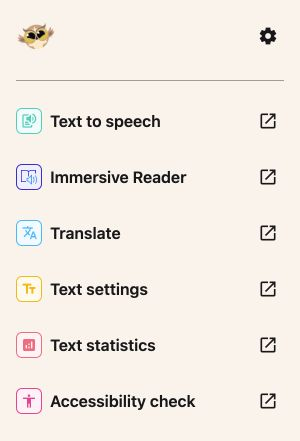
Text to speech
Listen with your browser's voices and choose your pace. Edit the text box or highlight a passage to hear only that part.
Listen to your text, translate your selection, and make reading more comfortable. Familiar Helperbird tools, right beside your documents, slides, and cells.
Over 1,000,000 people use Helperbird to customize the web to their needs.





Open a tool, make your changes, and return to your work. Each tool has its own focused panel.
Listen with your browser's voices and choose your pace. Edit the text box or highlight a passage to hear only that part.
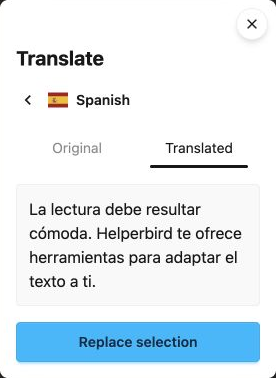
Compare the original and translated text before replacing your selection. Or choose Translate & replace to do both in one step.
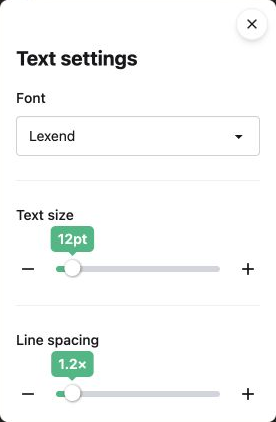
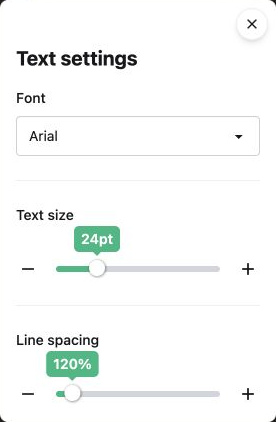
Choose from fonts including Lexend and Atkinson Hyperlegible. Adjust text size, then spacing in Docs and Slides or cell layout in Sheets.
Open selected text directly in Microsoft's reader for read aloud, line focus, and reading preferences. Available in all three add-ons.
See word count, estimated reading time, and more as soon as the panel opens. Change your selection and choose Recheck.
In Google Docs, review the whole document for small text, vague links, extended capitals, and long paragraphs. Get suggestions with locations to review.
The same reading tools, with text controls that fit the file you are working on.
Work with highlighted text. Change its font and spacing, translate a passage, or run an accessibility check across all document tabs.
Select words, text boxes, groups, or table cells. Read and translate the text you choose, then adjust its font, size, and line spacing.
Use one cell, a block, or separate ranges on the same sheet. Translate text cells, listen to displayed values, and make longer entries fit.
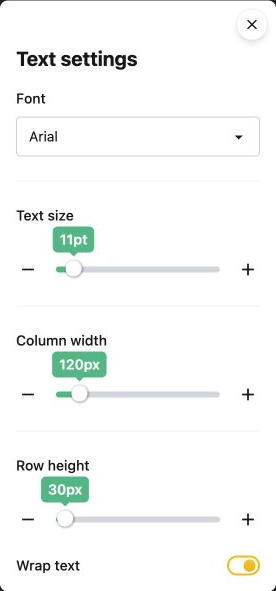
Text to speech, Translate, Text settings, Text statistics, and the Docs Accessibility check work without a Pro key. Immersive Reader supports up to 1,200 characters at a time for free. Connect Helperbird Pro in Settings for longer selections.
Install Helperbird from Google Workspace Marketplace. In Docs, Slides, or Sheets, choose Extensions → Helperbird → Open Helperbird. Your school or workplace may need to approve the installation. Follow our installation guide for help.
Sheets translation replaces only text cells in your selection. Formulas, numbers, dates, checkboxes, and empty cells are skipped. The preview shows a skipped-cell count so you can review it before replacing.
Google Sheets gives add-ons the selected cells, including all their text. To hear a few words, load the cell into Text to speech, then highlight those words in its text box and press Play.
It offers reading suggestions in Google Docs and leaves edits to you. Its four checks do not cover every accessibility need. Review image descriptions, contrast, and reading order separately.
The add-ons bring selected Helperbird tools into Google Workspace. Page tools such as the reading ruler, color overlays, and auto-scroll are available in the Helperbird browser extension.
Join over 1,000,000 people who use Helperbird every day.
I have switched from Chrome to Fi...
I have been a user of Helperbird for the past year or so and a huge fan of the work Robert has done. I have switched from Chrome to Firefox and glad this here too. 5/5. Can't wait for Voice Typing support
the Immersive Reader & Extract Te...
I love the Immersive Reader & Extract Text Combo! Thank you team
thank you dear creators for creat...
Creating this Extension for dyslexic people is very considerate! As a minority, we don't get much attention, thank you dear creators for creating this app! We appreciate your work! :D
Start with the free tools in Docs, Slides, and Sheets.
Get Google Add-on (opens in a new tab)