
How to turn Helperbird on and off
Find the Helperbird owl icon after you install it, pin it to your toolbar, open the popup and switch Helperbird on. Plus what to do if the icon is missing.
On this page
Installed the extension and cannot find it? Here is where to look.
Find the Helperbird Icon
Once the extension is installed, a small owl icon sits in your browser toolbar.
Once you open a website, the icon shows whether Helperbird is running:
- Green on: Helperbird is running.
- Red off: Helperbird is switched off.
- Blue ||: you have turned Helperbird off for this website.
Pin Helperbird to Your Toolbar
Chrome, Edge and Firefox hide new extensions in a menu until you pin them. Pin it once and the owl stays on your toolbar.
On Safari you turn Helperbird on in Safari's extension settings instead.
Our guide to pinning the Helperbird extension has the steps for Chrome, Edge, Firefox and Safari.
Turn Helperbird On
Click the owl icon. The Helperbird popup opens.
On Firefox the owl opens Helperbird in the Firefox sidebar instead.
A new install starts switched off. The switch in the top right shows an X.
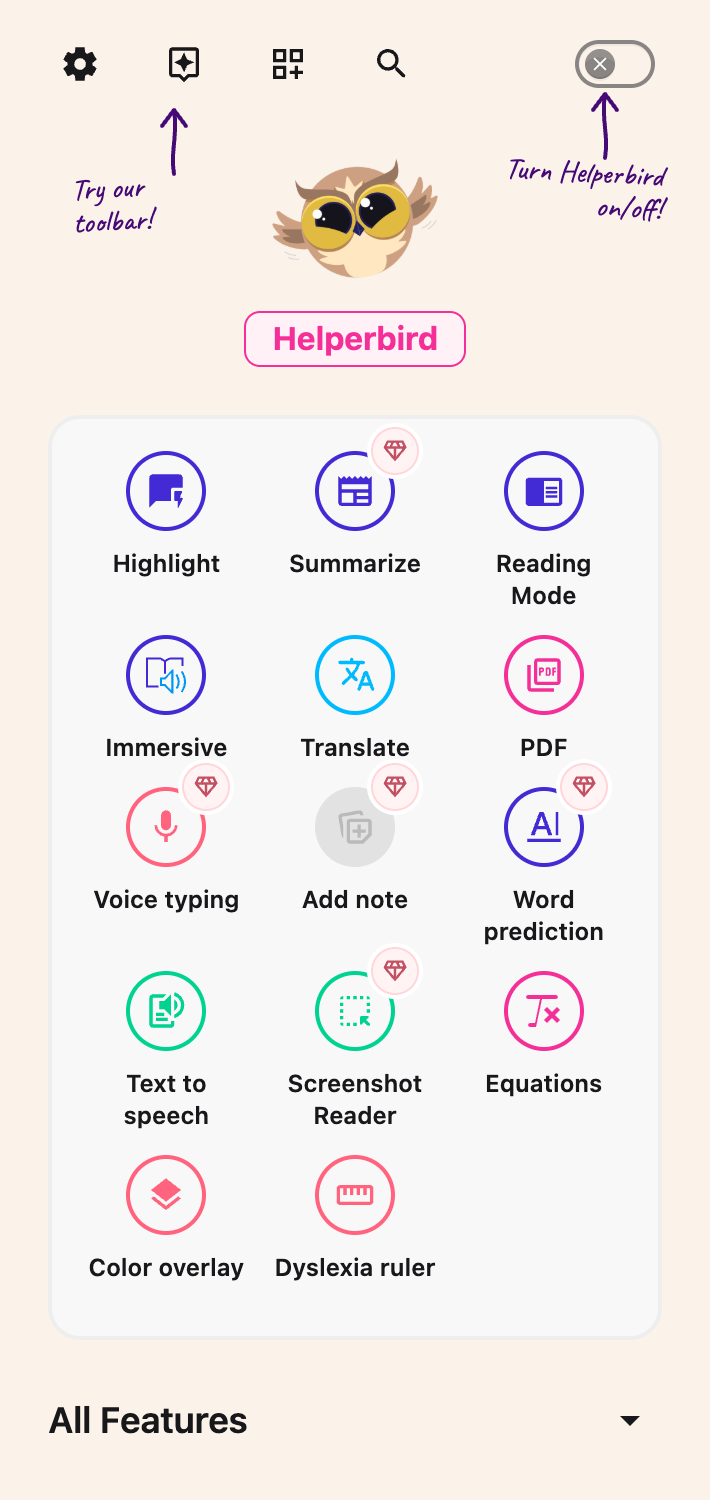 View full-size image (opens in a new tab)
Click the switch. It shows a check mark, and the features you have set up start working on the page.
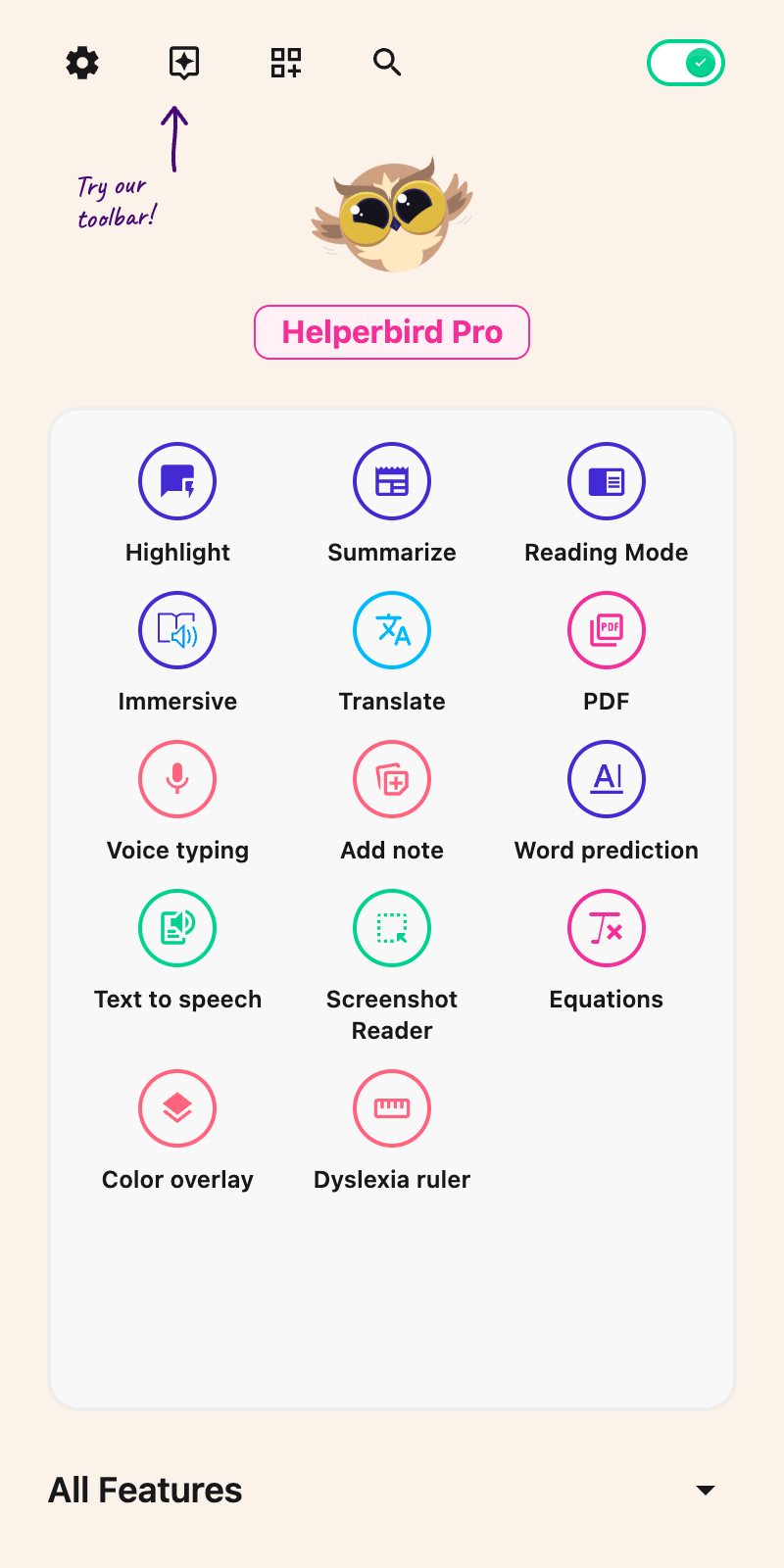 View full-size image (opens in a new tab)
Turn Helperbird Off Again
Click the same switch. The page goes back to how it normally looks.
Nothing is lost. Your fonts, colors, spacing and everything else are still set when you switch it back on.
Turning Helperbird on and off explains what that one switch controls.
If You Cannot See the Icon
Two ways in do not need the owl icon.
The side panel. Chrome and Edge can hold Helperbird open beside the page you are reading. See opening Helperbird in the Chrome or Edge side panel. On Firefox the owl already does this.
The right-click menu. Right-click a web page and choose Helperbird. The menu has Play, Stop, Define, Immersive Reader and Translate. It is not there on Safari, iPhone or iPad.
More Ways In Once Helperbird Is Open
You turn both of these on from inside the popup, so you need the icon or the side panel at least once.
The Floating Toolbar. Click Floating Toolbar in the popup header. An owl button then appears on the websites you visit, and it works while Helperbird is switched off.
The Floating Toolbar does not appear on browser pages or on Helperbird's own pages, such as the PDF reader. Five of its buttons need Helperbird Pro: Dictionary, Immersive, Word prediction, Voice typing and Screenshot Reader. See how to use the floating Helperbird button.
The keyboard. Click Settings in the popup header. In the Options list, turn on Shortcuts.
Shortcuts adds a key combination for switching Helperbird on and off. Press Option + . on a Mac, or Alt + Shift + . on Windows and Linux.
Click the page first. The shortcut works on websites, not on browser tabs like your settings or a new tab. See every Helperbird keyboard shortcut.
Helperbird does not come with a shortcut that opens the popup.
Video Tutorial
Need Additional Help?
If you run into issues or want to learn more about Helperbird's features, visit our Help Center or reach out to our support team. We're always happy to help.
Printed from the Helperbird Help Center · Updated September 22nd, 2026
Questions? We are happy to help — helperbird.com/support