
How to Find a Page in Your Helperbird Reading List
Learn how to search your Helperbird Reading list to find a saved page quickly once the list has grown too long to scan.
Jump to the stepsOn this page
What This Does
Searching narrows your Reading list down to the pages that match what you type, so a long list stops being a problem.
Who is This For?
This is helpful for:
- Anyone whose list has grown past a screenful
- Students looking for one source among many
- Anyone who remembers a word from the title but not where it came from
Step 1: Open the Search Box
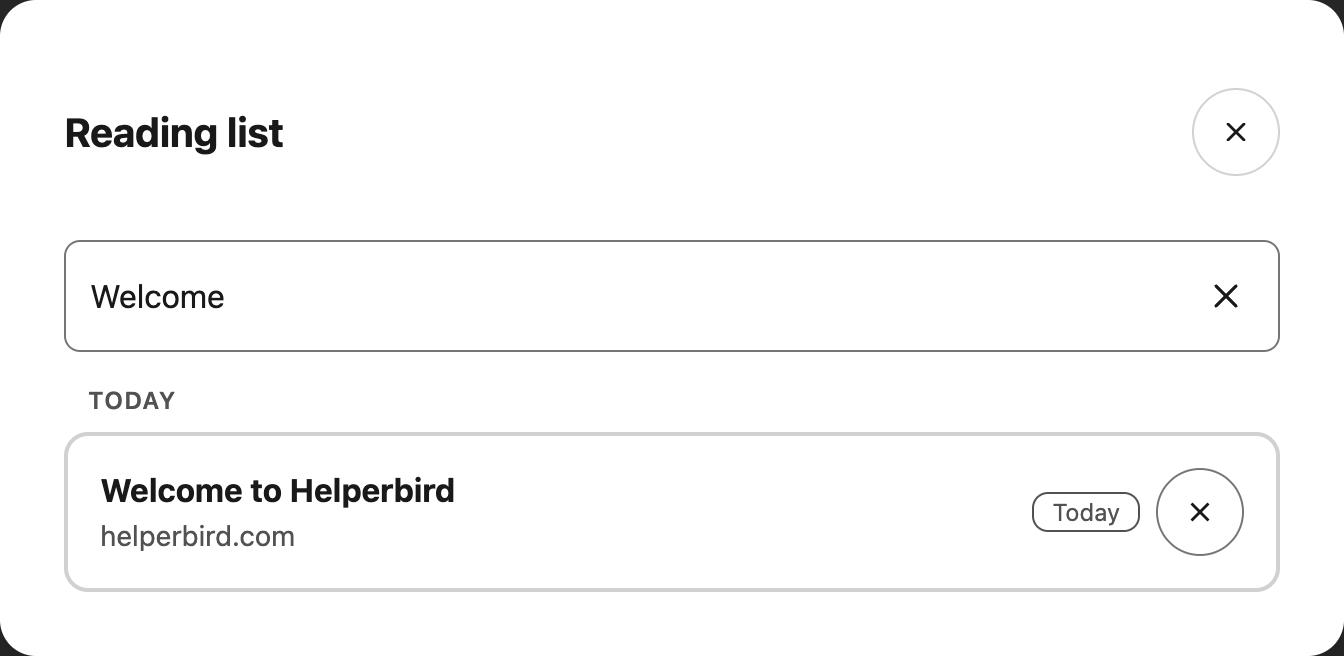
Select the Search field at the top of the Reading list. It is already visible when the list opens.
Step 2: Type What You Remember
Type a word from the page's title or its address. The list narrows as you type.
 View full-size image (opens in a new tab)
You do not need the whole title. A distinctive word is usually enough.
Clearing the Search
Select Clear, the cross inside the search field, to bring the whole list back. Focus returns to the field so you can type another search.
Searching only filters what is shown. Nothing is removed from your list, so clearing the box always brings everything back.
Need Additional Help?
If you have any questions or run into any issues, please contact the Helperbird support team. You can reach us at Helperbird support. We are happy to help you get the most out of Helperbird.
Printed from the Helperbird Help Center · Updated September 22nd, 2026
Questions? We are happy to help — helperbird.com/support