
How to Use Your Subscription Key for Helperbird
Enter your Helperbird subscription key on the settings page, confirm that Pro unlocked, and change or remove the key later. Covers Chrome, Edge and Firefox.
On this page
Your subscription key unlocks Helperbird Pro. It arrives in the second email we send after you subscribe. Check your spam folder if it is missing.
- On an iPhone or iPad? The route to the key box is different. See How to Unlock Helperbird Pro on iPhone and iPad.
- Key or email sign-in? See Email Login vs Subscription Key.
Open Your Account Page
- Click the Helperbird icon in your browser toolbar.
- Click the gear icon at the top left of the popup. The Options list opens.
- Click Login. The settings page opens in a new tab, with Account as the first section.
Once a key is saved that row says Account, and opens the same page.
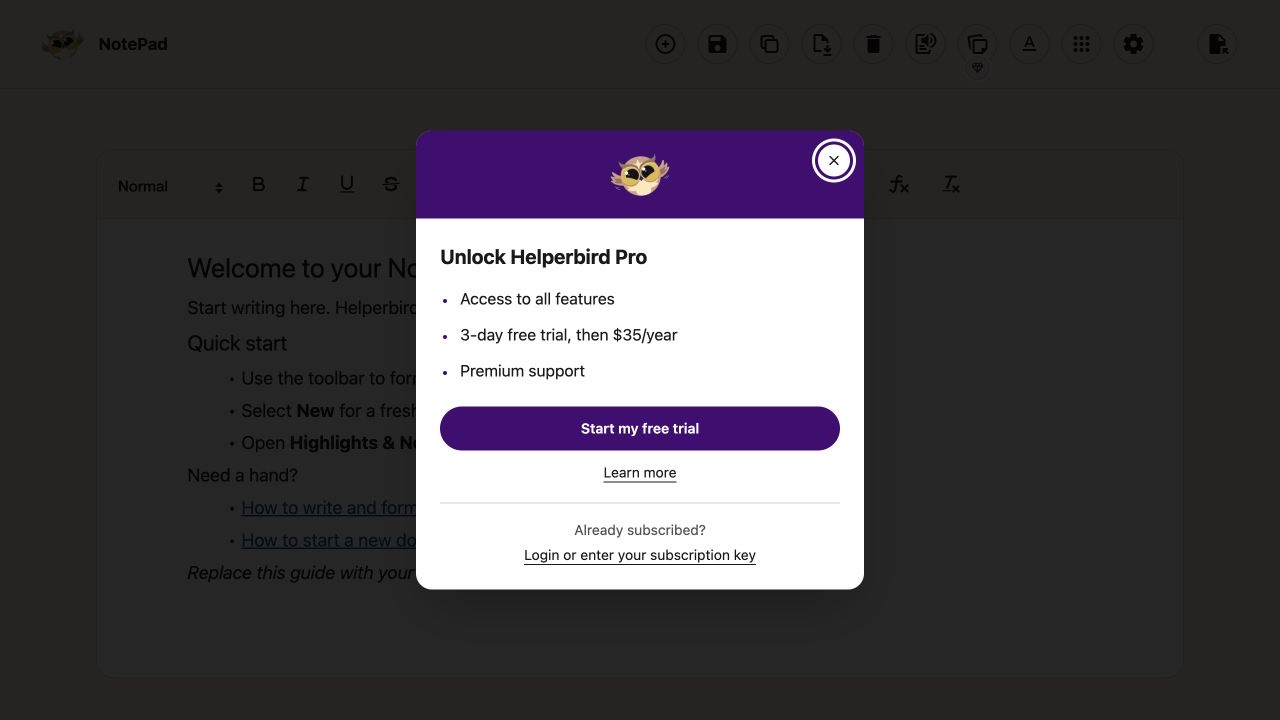
If you click a paid feature while using Helperbird Free, a small Unlock Helperbird Pro dialog opens. Choose Login or enter your subscription key to open this same Account section. Use your existing subscription; you do not need to buy another one. Start my free trial opens checkout in a new tab; opening checkout does not start a subscription. Learn more opens the plans and feature details. The dialog explains the tools, the free trial and annual price, and premium support.
Close the dialog with Close or Escape to return to the feature you clicked.
 View full-size image (opens in a new tab)
Enter Your Key
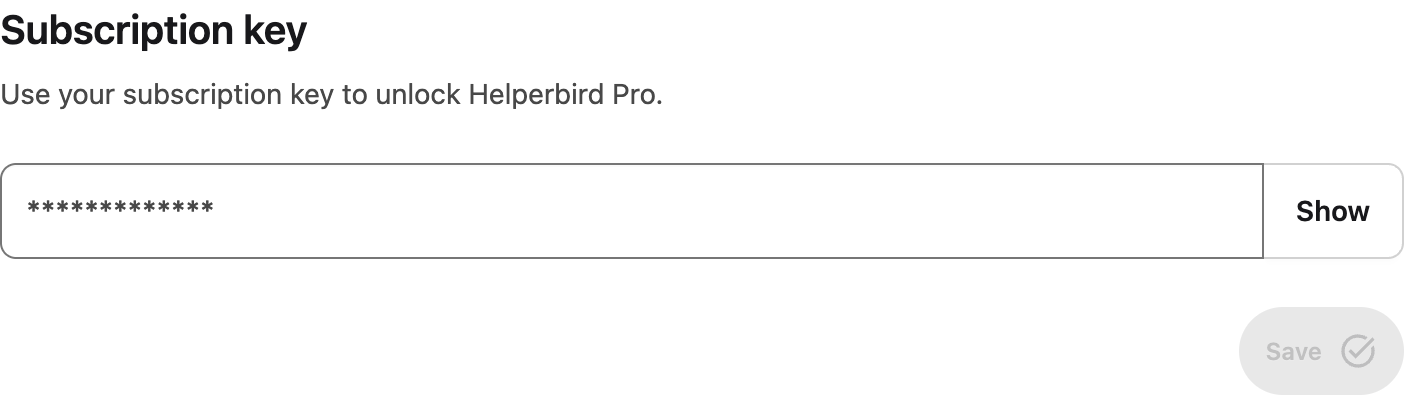
- Paste your key into the box under Subscription key.
- Click Save. The button stays greyed out while the box is empty.
Helperbird checks your subscription as you save. The first time, a welcome page opens in a background tab.
 View full-size image (opens in a new tab)
Check That It Worked
When the key is accepted:
- A green tick appears beside the Subscription key heading.
- The line under the Account heading changes to "Helperbird Pro is unlocked."
- Billing, the next section down, shows Pro, or Unlimited on a school or workplace subscription.
If nothing changes, the key was not accepted and Billing still shows Free. A space copied with the key is the usual cause. Helperbird Subscription Not Activating covers the rest in order.
Change or Remove a Key
Remove sits next to Save whenever the box has a key. It clears the key and rechecks your subscription, so Pro features lock again. To swap keys, select everything in the box, paste the new key, then click Save.
If your school or workplace manages Helperbird for you there is no key box. The Account section reads "Managed by your organization", and your administrator holds the key.
Need Additional Help?
Contact support and we will look up your subscription and send a fresh key.
Printed from the Helperbird Help Center · Updated September 26th, 2026
Questions? We are happy to help — helperbird.com/support