
How to Change the Email on Your Helperbird Subscription
Change the email address on your Helperbird Pro subscription in the billing portal, then make sure Pro still unlocks on the new address in every browser.
Jump to the stepsOn this page
Your Helperbird Pro subscription is held against one email address. That address is where your receipts go, and it is also what Helperbird checks when it unlocks Pro. You change it in the Helperbird billing portal.
Read this before you change it.
Changing your billing email is not only a contact detail. It is how Helperbird finds your subscription, so two things can go wrong.
- If you sign in with Google or Microsoft, keep the billing email the same as the address you sign in with. If the two stop matching, Helperbird will not find your subscription and Pro will lock.
- If you unlock Helperbird with a subscription key, your old key stops working. An individual key is issued for one email address and stops matching when that address changes. We send a new key to the new address, so watch for it and use that one from then on. A key issued to a whole school or workplace domain is not affected.
If you are not sure which of these applies to you, talk to support before you change anything.
Step 1: Open Your Billing Portal
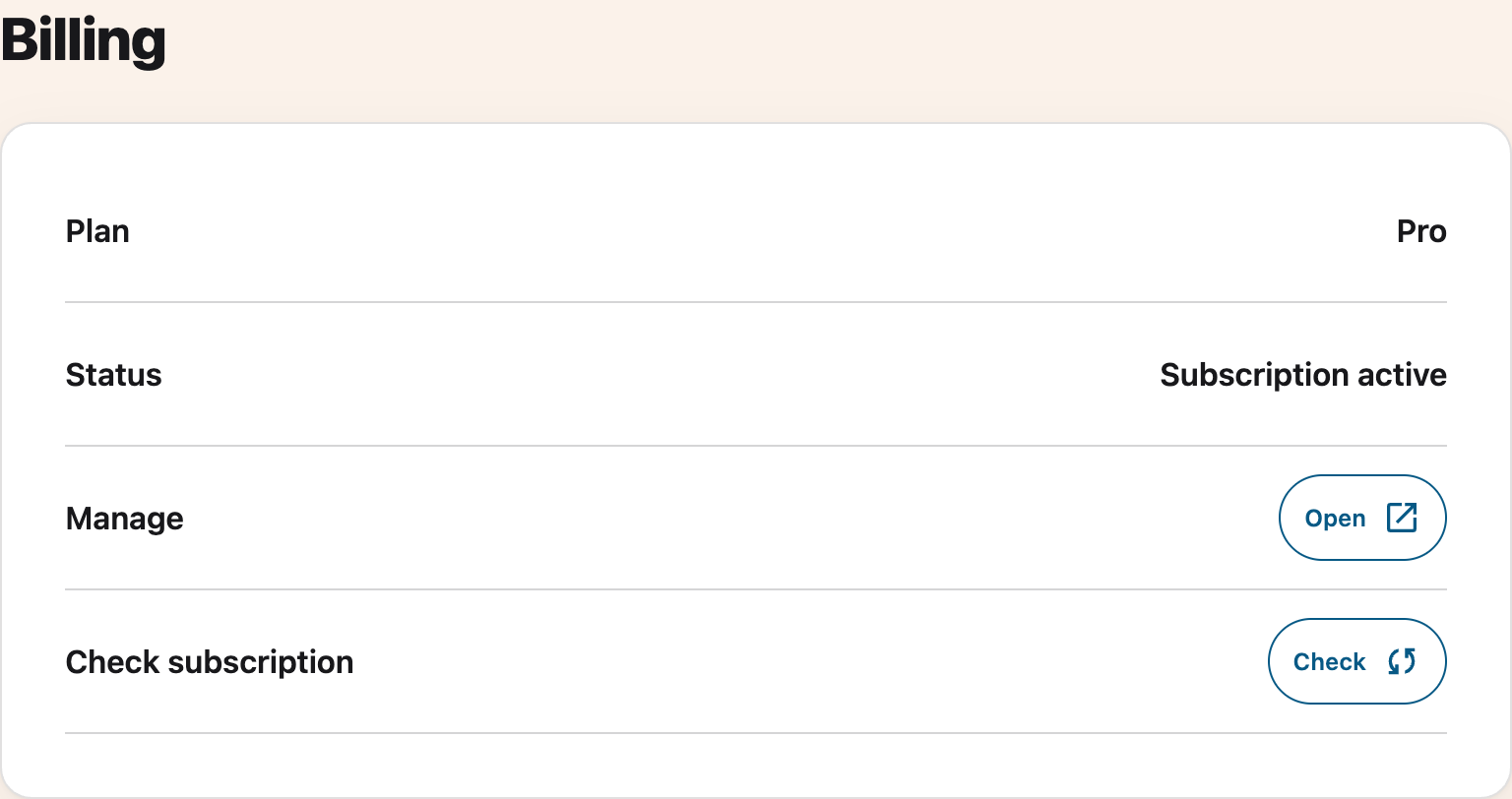
The quickest route is from inside Helperbird. Click the Helperbird icon in your browser toolbar, open the Options menu, and choose Settings. Scroll to the Billing section, then click Open on the Manage row. The portal opens in a new tab, already signed in as you, so you can skip to Step 3.
 View full-size image (opens in a new tab)
The Manage row appears when Helperbird has a billing link for your account, on any supported browser. School and workplace accounts show Managed by your organization instead, because an administrator owns the billing.
For a website purchase, if that link is unavailable, go to the Helperbird billing portal (opens in a new tab) directly. Enter the email address your subscription uses now, not the new one. App Store purchases use Apple’s account and subscription settings instead.
Step 2: Verify Your Email
This step only applies to the direct link. Check your inbox for the verification code, enter it, and continue. The code expires after a few minutes, so ask for a new one if it has been sitting a while.
Step 3: Update Your Email Address
In the portal, open your billing information and choose Update information. Type your new email address in the email field and save.
Have access to the new address before you do this. It is the address the portal will ask for next time, and the one your receipts go to.
Check That Pro Still Unlocks
Helperbird finds your subscription by email, so changing it can change how Pro unlocks.
- On Chrome or Edge, if you use email login: Helperbird reads the email of the browser profile you are signed into and looks that up on your subscription. Sign that browser profile into the new address, or switch to a subscription key.
- If you use a subscription key: a personal key carries the email it was made for. After you change the address, contact support for a fresh key and enter that instead.
- Either way: open Helperbird's settings page, go to Billing, and press Check to pull your subscription again.
School and organization keys are not tied to one person's email, so changing a single address does not affect them.
Need Additional Help?
If you run into any issues while changing your email, reach out to our friendly Helperbird support team, and we'll help you get it sorted out.
Printed from the Helperbird Help Center · Updated September 28th, 2026
Questions? We are happy to help — helperbird.com/support