Take Notes Right on the Page
Found something useful on a website? Don't copy it somewhere else. Just add a sticky note right there on the page.
Helperbird lets you leave notes and annotations on web pages. When you come back later, your notes are still there, exactly where you left them.
Learn how to add sticky notes and annotations
Related features
- PDF Reader - Read PDFs aloud and add text boxes or drawings in a dedicated reader.
- Write on PDFs - Type text directly onto a PDF (different from sticky-note comments).
- PDF Drawing Tools - Draw freehand, add shapes, and arrows directly on PDFs for visual markup.
- Web Highlighter - Mark important passages with color-coded highlights for quick reference.
- Note Organizer - View and manage all your sticky notes and highlights in one searchable place.
- Screenshot Tool - Capture and annotate portions of webpages for visual note-taking.
What You Can Do
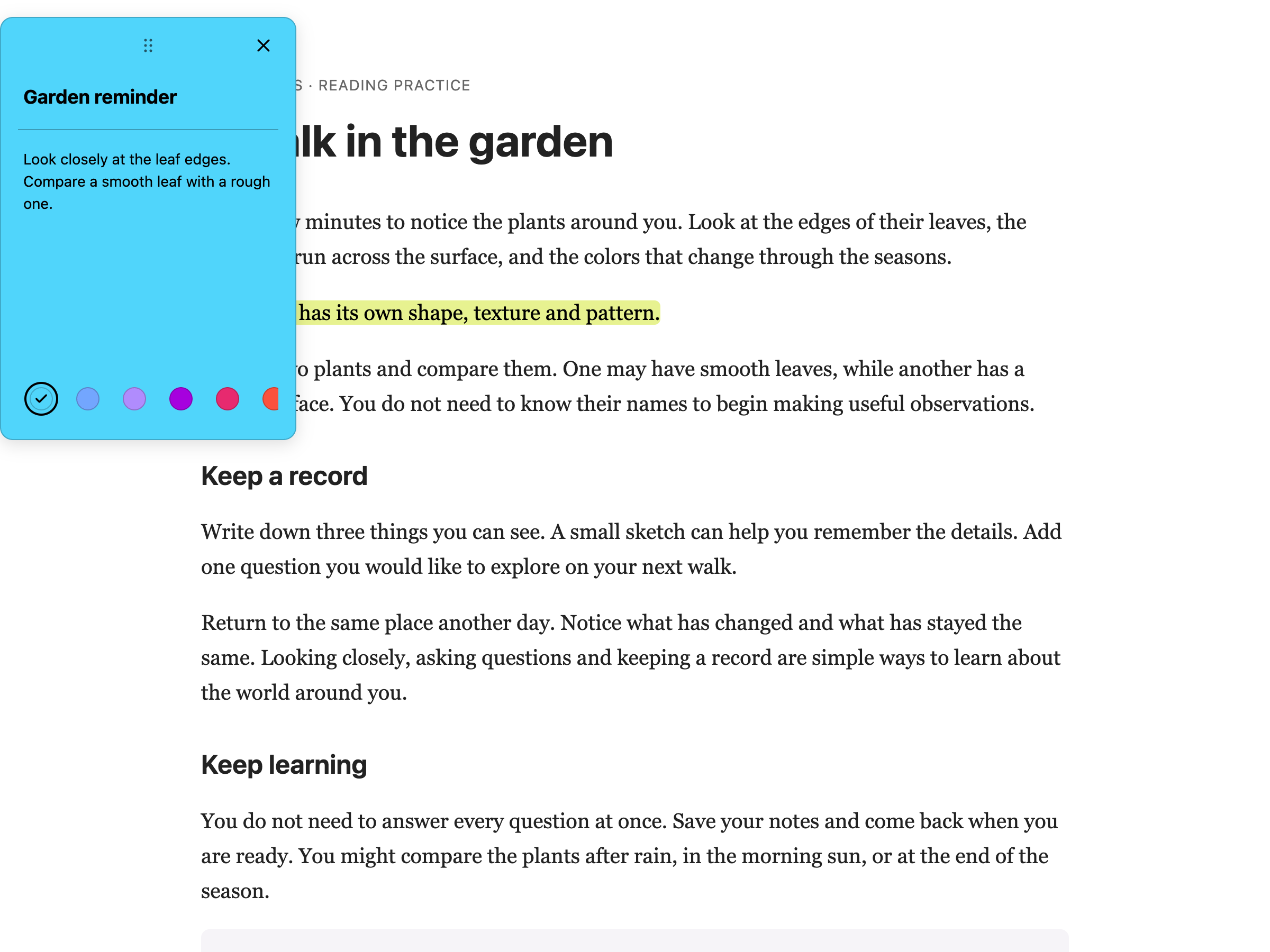
Add sticky notes: Place a note anywhere on a page. Write whatever you want - reminders, questions, ideas, comments.
Highlight text: Mark important passages with different colors. Come back later and see exactly what caught your attention.
Leave comments: Place notes beside the sections you want to remember. Move them using the handle at the top.
Organize with colors: Use different colors for different purposes. Yellow for questions, green for key points, red for things to follow up on - whatever system works for you.
For PDF annotations, use text boxes or drawing tools in PDF Reader. Web sticky notes do not appear inside that reader.
Your Notes Stay With You
Notes save automatically in your browser's own storage. When you return to a page, your annotations are waiting. If you are signed in to Chrome, Edge or Safari and have sync switched on, they travel to your other computers the same way your bookmarks do. Helperbird runs no server of its own for this.
You can also export your notes if you need them in another format, or search through all your notes to find something specific.
Who Uses This
Students taking notes while researching online.
Researchers collecting and organizing information from multiple sources.
Professionals annotating reports, documents, or articles.
Anyone who wants to remember why they bookmarked something.
Is This Free?
Sticky notes and annotations are a Pro feature in Helperbird.