Write Maths the Way That Works for You
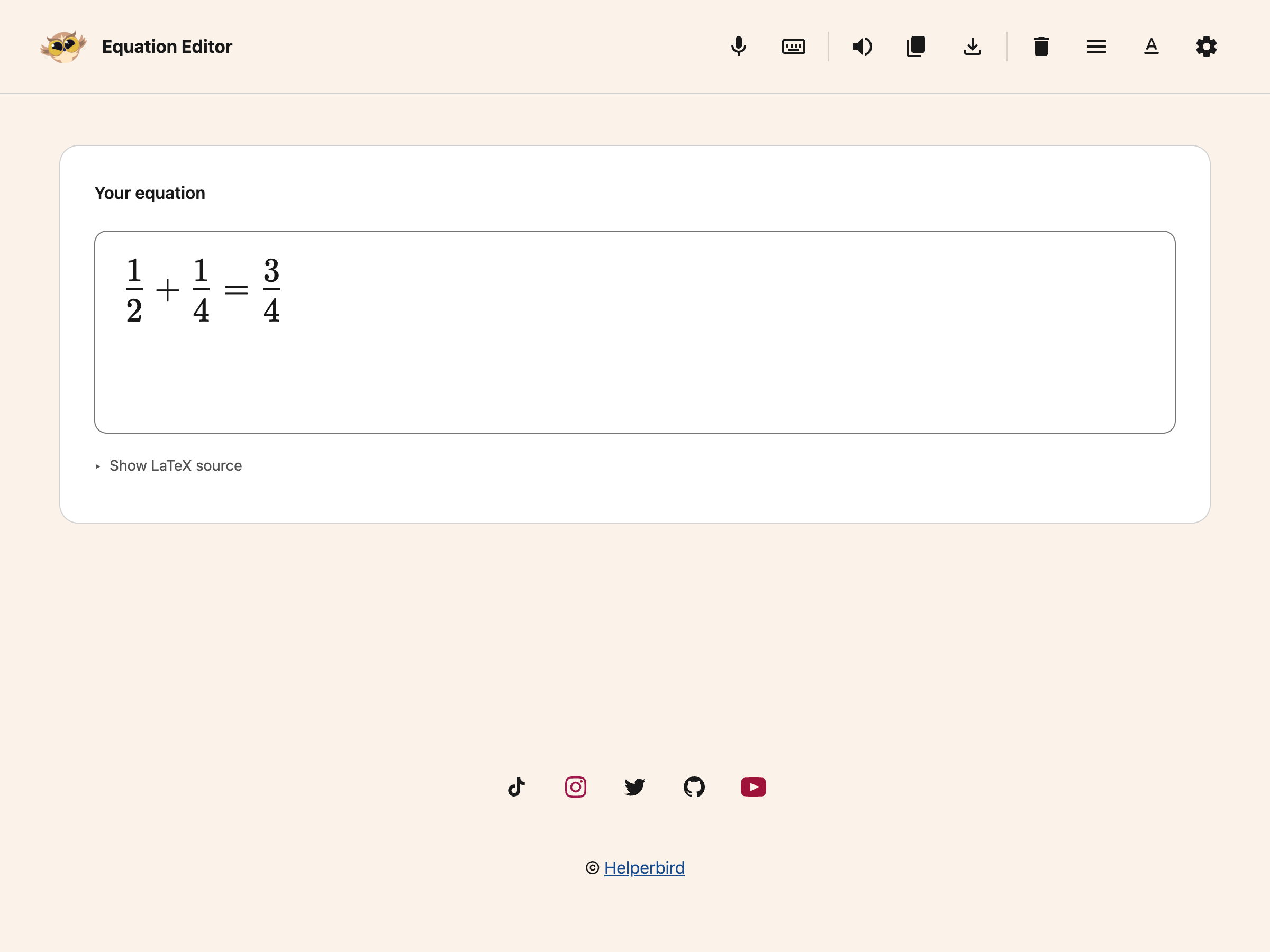
Type LaTeX commands, tap symbols on the on-screen math keyboard, or dictate your equation out loud. The Equation Editor gives you a full-page space to write maths — then read it back, copy it, or download it as an image.
Learn how to use the Equation Editor
Related features
- Speech to Math - Dictate maths, chemistry, and physics out loud.
- Maths Reader - Hear maths on any page read aloud with Immersive Reader.
- Voice Typing - Dictate text and notation anywhere on the web.
What You Get
Try an example: Start with a sample equation, fraction, or integral when the input is empty. Edit it to learn how the notation works.
Preview as you write: See the rendered equation below the input. Show or hide the math keyboard when you need more room.
Type or tap: Write LaTeX commands like \frac and \sqrt, or use the on-screen math keyboard for symbols you can't easily type.
Dictate it: Speak your equation using Math, Chemistry, or Physics voice modes and Helperbird inserts the notation for you.
Hear it back: Read your equation aloud in proper math language — "x squared" rather than "x caret two" — with Microsoft Immersive Reader.
Export anywhere: Copy as LaTeX, MathML, or an image, or download a crisp PNG to drop into Word, Slides, or email.
Who Uses This
Students writing up maths, chemistry, and physics homework.
Teachers building equations for worksheets, slides, and quizzes.
Anyone who finds typing mathematical notation slow or fiddly.
Admin Controls
School and workplace admins can enable or disable the Equation Editor — and any other Helperbird feature — for their organization using managed policy in Google Admin, Microsoft Intune, or a supported Apple MDM deployment. Use the policy builder to choose the format for your devices.
See How to Disable Helperbird Features Using JSON Policy.
Is This Free?
The Equation Editor is a Helperbird Pro feature.